Getting Started in One Last Cast
A calm first-hour plan from install to your first commission rewards.
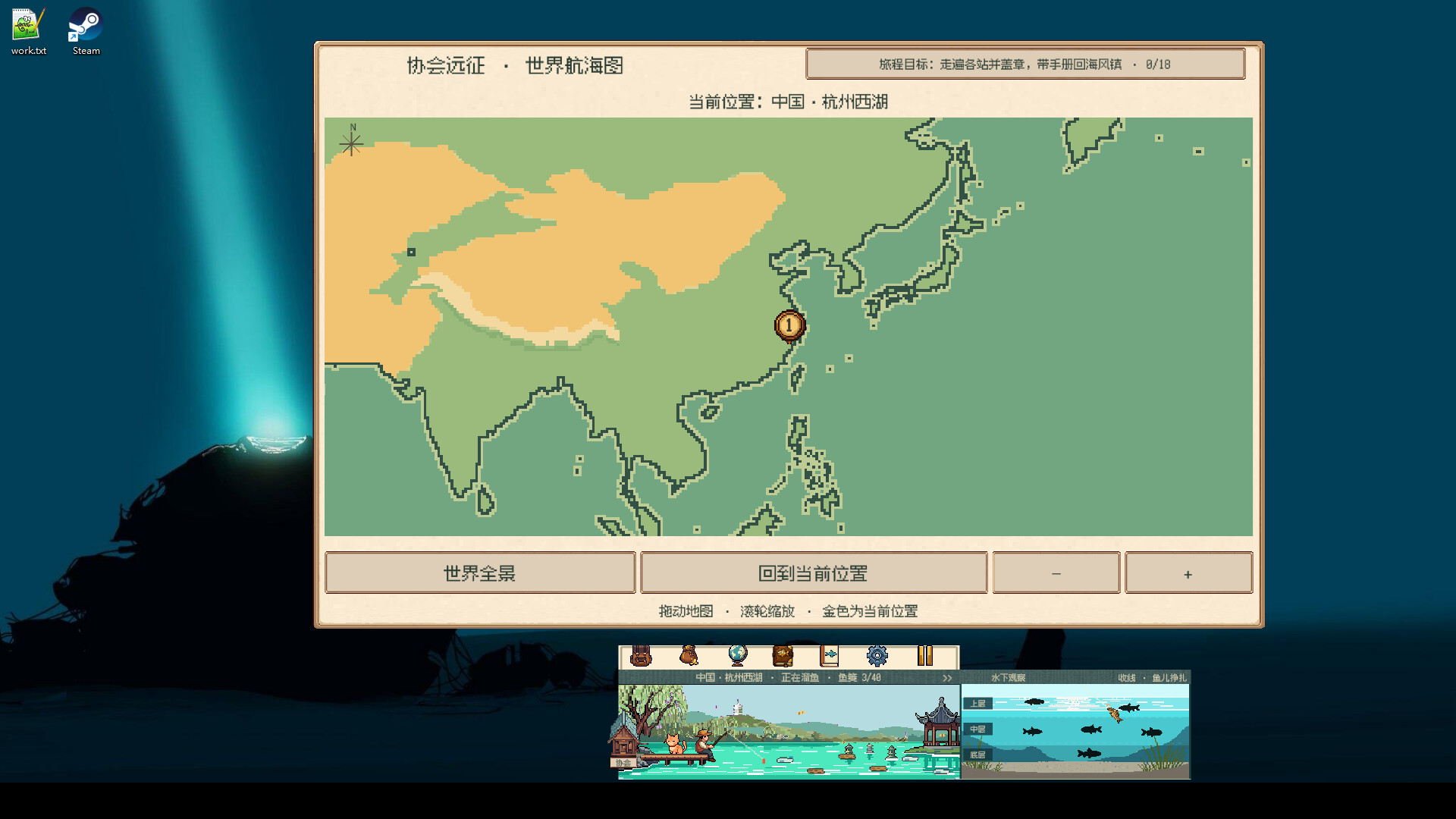
One Last Cast is a cozy pixel-art desktop AFK fishing game from Shorepause Studio. It released on Steam for Windows on 23 November 2026. You park a lakeside scene in a corner of your screen, let your character fish automatically, and return on breaks to manage catches, coins, tackle, and local commissions. This getting-started guide covers install choices, the first stop at West Lake in Hangzhou, and the habits that keep early progress smooth.
If you want the mechanical deep dive next, continue with How to Play. If the window itself is fighting your workflow, jump to Desktop Setup. For a completion tracker, open the progress checklist.
Buy, demo, or both
- Full game — Steam app 5508060, list price $4.99, with a launch introductory discount near $3.49 (confirm the live offer on Steam).
- Free demo — Steam app 5508070, covering the first five locations, their commissions, featured challenges, and collectibles. After fifth-location objectives you can keep fishing those stops.
Trying the demo first is a good idea if you want to feel the AFK pacing before buying. Save files and Cloud behavior can differ between demo and full product; treat the demo as a preview sandbox and check Steam discussions if you care about transferring progress.
Confirm your PC meets the system requirements (Windows 10+, light CPU/RAM, roughly 800 MB storage). One Last Cast is built to sit beside other apps, not to demand a gaming rig.
First launch checklist
- Install through Steam and launch once to create your profile / Cloud slot.
- Set language if needed. Steam lists interface support for English, Simplified Chinese, Traditional Chinese, Russian, Japanese, and Korean.
- Resize and place the window using tips from Desktop Setup so the float, shore, and companion stay visible without covering chat or documents.
- Let automatic fishing run for a short stretch before changing every setting — learn the default rhythm first.
- Open your basket on the first break: note what you caught, what sold for coins, and whether any commission UI is already available.
West Lake: your opening destination
The journey framing begins at West Lake (Hangzhou) before later stops such as Lake Biwa and further lakes and wetlands. Early on, treat West Lake as a tutorial biome:
- Learn how auto fishing fills the basket while you do other work.
- Practice selling surplus fish for coins.
- Buy or upgrade basic tackle instead of hoarding coins with no plan.
- Accept local commissions so new qualifying catches have a destination.
- Glance at encyclopedia entries as species light up — collection is a long game.
Do not rush to leave the first stop the moment travel unlocks. Clearing commissions and testing bait or water-layer combinations teaches the same skills you will need at every later wetland. The locations overview will help when you start comparing destinations.
Early economy: sell, upgrade, then specialize
The Steam loop is deliberate and short:
- Automatic fishing produces catches while you are away from the keyboard.
- Selling turns common surplus into coins.
- Shopping / upgrading improves rods, bait, and related tackle so harder fish and new spots become realistic.
- Commissions convert the right fish into rewards and story progress.
- Keeping special fish for the aquarium or encyclopedia goals is a conscious choice — not every catch should be sold.
Beginner mistakes to avoid:
- Selling every unusual fish before checking commissions or aquarium goals.
- Buying random shop items without a target species or commission in mind.
- Ignoring water layers and bait matching (see bait & tackle rankings).
- Leaving the game fully hidden for hours, then wondering why you never adjusted loadouts.
A healthy early pattern is short AFK blocks with intentional check-ins. One Last Cast is a desktop companion; it rewards presence in small doses.
Commissions as your first structured goals
Local commissions give each stop a purpose beyond “catch anything.” After you accept a request, newly caught fish that meet the conditions are prioritized into the commission schedule, while other harvests stay free for selling or display. Complete the job, take the reward, then decide whether to strengthen current gear or save toward travel. Full detail lives in the commissions guide.
Collection systems you should notice on day one
Even in the first hour you will brush against systems that matter all game:
- Fish encyclopedia — lights up as you encounter species; chase personal weight records over time (encyclopedia overview).
- Rare color variants — uncommon colorful fish worth pausing for (rare variants guide).
- Aquarium — keep favorites instead of selling everything (aquarium & companions).
- Animal companions — shore friends that make the scene livelier as you unlock them.
- Travel journal — anecdotes, souvenirs, and pages you can revisit or share as images.
You do not need to master all five on day one. Just avoid selling a fish you already know you want to display.
Suggested first-session goals
Use this as a soft checklist, not a speedrun:
- Place the window comfortably and run auto fishing for at least one real work block.
- Sell enough common fish to afford a meaningful early tackle upgrade.
- Accept and complete at least one local commission.
- Keep one favorite catch in the aquarium.
- Note which bait or water-layer experiment failed so your next session has a hypothesis.
- Skim How to Play and bookmark Guides Hub for later topics.
Achievements, Cloud, and leaderboards
The full game ships with 30 Steam Achievements, Steam Cloud, and Leaderboards, plus Family Sharing on the store page. Play at your own pace; achievements will come naturally if you finish commissions, explore locations, and collect fish. Leaderboards are for players who enjoy comparing records — they are not required for the cozy loop.
Where to go next
- Mechanics: How to Play
- Window and workflow: Desktop Setup
- Gear priorities: Tier List Hub · bait & tackle
- Species and places: Players Hub · locations
- Promo status: Codes (no public redeem system advertised at launch — verify there)
- Patches: Updates
- Official links: Links hub and the Steam page
Take the first cast, keep the orange-cat shore scene nearby, and let the wiki fill in details when you are ready for the next lake.
Frequently Asked Questions
Quick answers to the most common questions.
Should I play the One Last Cast demo before buying?
Yes if you want to test AFK pacing. The demo covers the first five locations with commissions, tackle upgrades, encyclopedia progress, rare variants, companions, and the travel journal.
What should I spend early coins on?
Prioritize tackle that helps the fish or commissions you currently care about. Avoid random shop buys. Cross-check ideas on the bait and tackle tier list once you have a target species.
Do I need to play One Last Cast full-screen?
No. It is designed as a desktop companion. Resize it into a corner and follow the Desktop Setup guide so auto fishing stays visible beside your real work.
When should I leave West Lake?
After you understand selling, commissions, and basic bait matching. Clearing early local requests teaches habits you will reuse at Lake Biwa and later wetlands.
Is One Last Cast only on Windows?
Steam lists Windows requirements for this release. Confirm platforms on the store page if Shorepause Studio adds more later.